Clipping guide
How to start clipping on Whop and get paid
Whop clipping means turning a brand's long videos into short clips, posting them on your own TikTok, YouTube Shorts, Instagram or X accounts, and getting paid for views once the brand approves your post. You do not need an existing audience. This guide walks through the full process, from choosing a campaign to withdrawing money, and shows where an AI clipping tool saves time and where you still need to check the work yourself.
How Whop clipping works
Whop Content Rewards is a marketing tool for brands and creators. A campaign owner provides long-form footage, such as a podcast, livestream or webinar, sets a reward rate per 1,000 views and funds a budget. Clippers turn that footage into short videos, post them on their own social accounts and submit the post links.
According to Whop's documentation, the campaign owner reviews each submission against the campaign requirements, approves the posts that follow them and rejects the ones that do not. After approval, Whop pays the clipper based on the views the post received. A campaign can also set a minimum payout, a maximum payout per video and an optional flat bonus per approved submission.
That means views alone are not enough. A clip with a million views earns nothing if it breaks the rules in the brief, and a post that never reaches the campaign's minimum payout may never enter the review queue.
What you need before you start
You need very little to begin, but set these up first so that you can submit and get paid without delays.
Step 1: Pick a campaign you can actually win
Browse Content Rewards on Whop and compare campaigns before you join one. Look at four things: the reward rate per 1,000 views, how much budget is left, the minimum and maximum payout per video, and which platforms are accepted.
A high rate is not automatically the best choice. A campaign with very little budget left may run out before your clips are reviewed. A low maximum payout limits what a single viral clip can earn. Whop's own example of a maximum payout: at $3 per 1,000 views and a $3,000 cap, a video stops earning at one million views.
Start with source material you understand. If you already watch a podcast niche, you will recognise strong moments faster than in a topic you have never followed.
Step 2: Read the requirements like a reviewer
Every campaign publishes its requirements, and they are the rules used to approve or reject your posts. Whop suggests that campaign owners include content quality standards, brand mention requirements, prohibited content, video length or format, and any required messaging.
Before you cut anything, write down the rules that affect editing: allowed length, required caption or hashtag text, whether the brand must be named or tagged, what you may not show or say, and whether a specific style is expected. Some campaigns also say what they do not want, such as low-effort or obviously AI-generated content. Read the whole brief, including any linked document.
Step 3: Get the source footage
Clipping campaigns provide the footage, or a link to it, in the campaign's available content. It is often shared as a cloud folder or a document that links to the source videos.
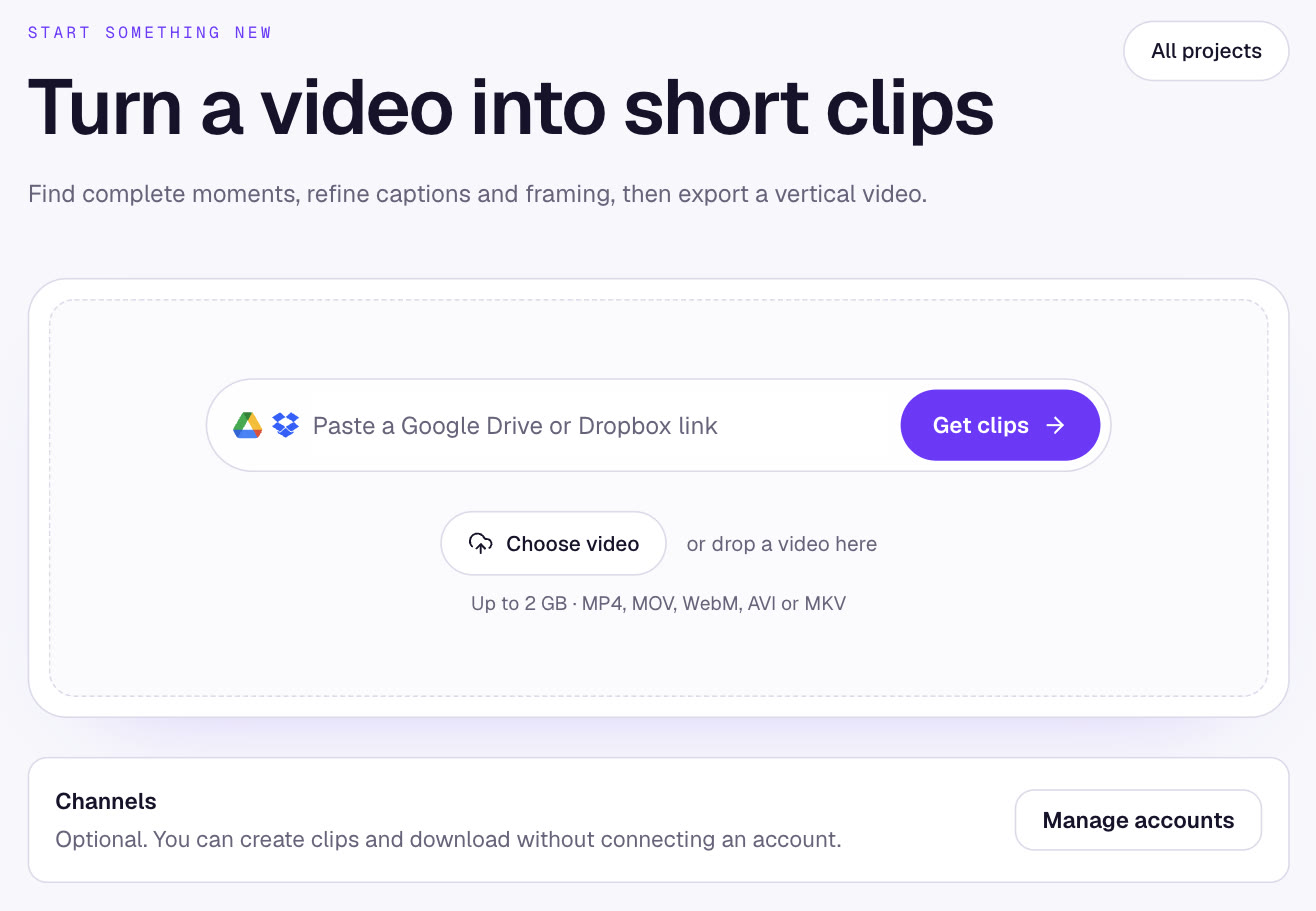
If the footage is in Google Drive or Dropbox, you can paste the share link into Scribix instead of downloading a large file and uploading it again. Scribix also accepts direct links to video files and uploads from your device.
Scribix does not download videos from YouTube or other streaming sites. If a campaign only gives you a YouTube link, you need the original file from the campaign owner or another source you are allowed to use.
Step 4: Cut clips that stand on their own
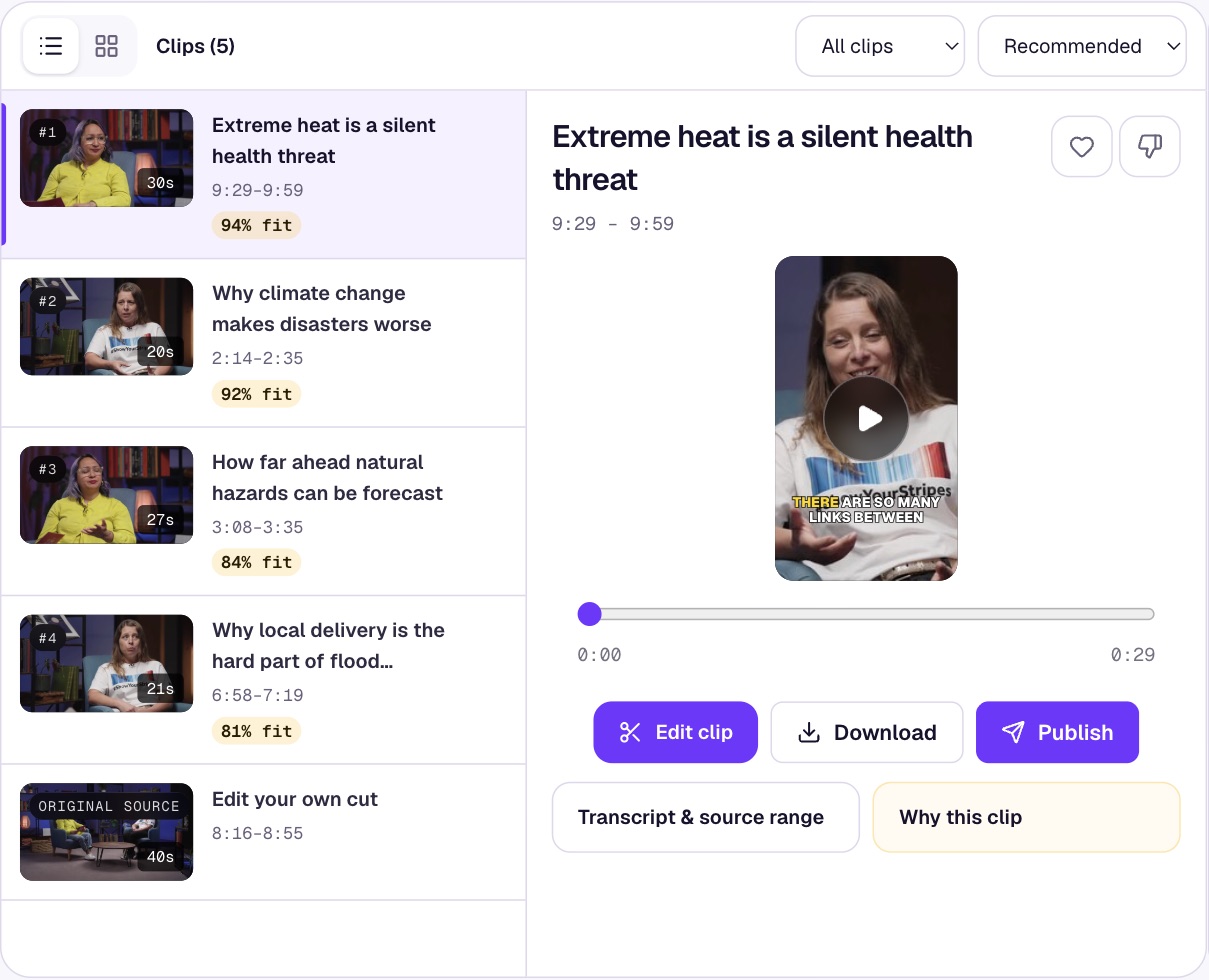
A strong clip makes sense to someone who has never seen the full video. It opens with a clear hook, contains a complete answer, story or opinion, and ends after the point lands rather than mid-sentence.
In Scribix, the AI reads the whole recording and suggests candidate clips with a title for each. Play each candidate before you use it. Drop the ones that start with an unclear reference, repeat another clip or conflict with the campaign rules. The AI saves you from scrubbing through hours of footage, but you are the one who knows the brief.
On a paid plan you can adjust the start and end against the transcript to include the setup a punchline needs. Free accounts can export the AI-generated clips as they are.
Step 5: Check the vertical framing and captions
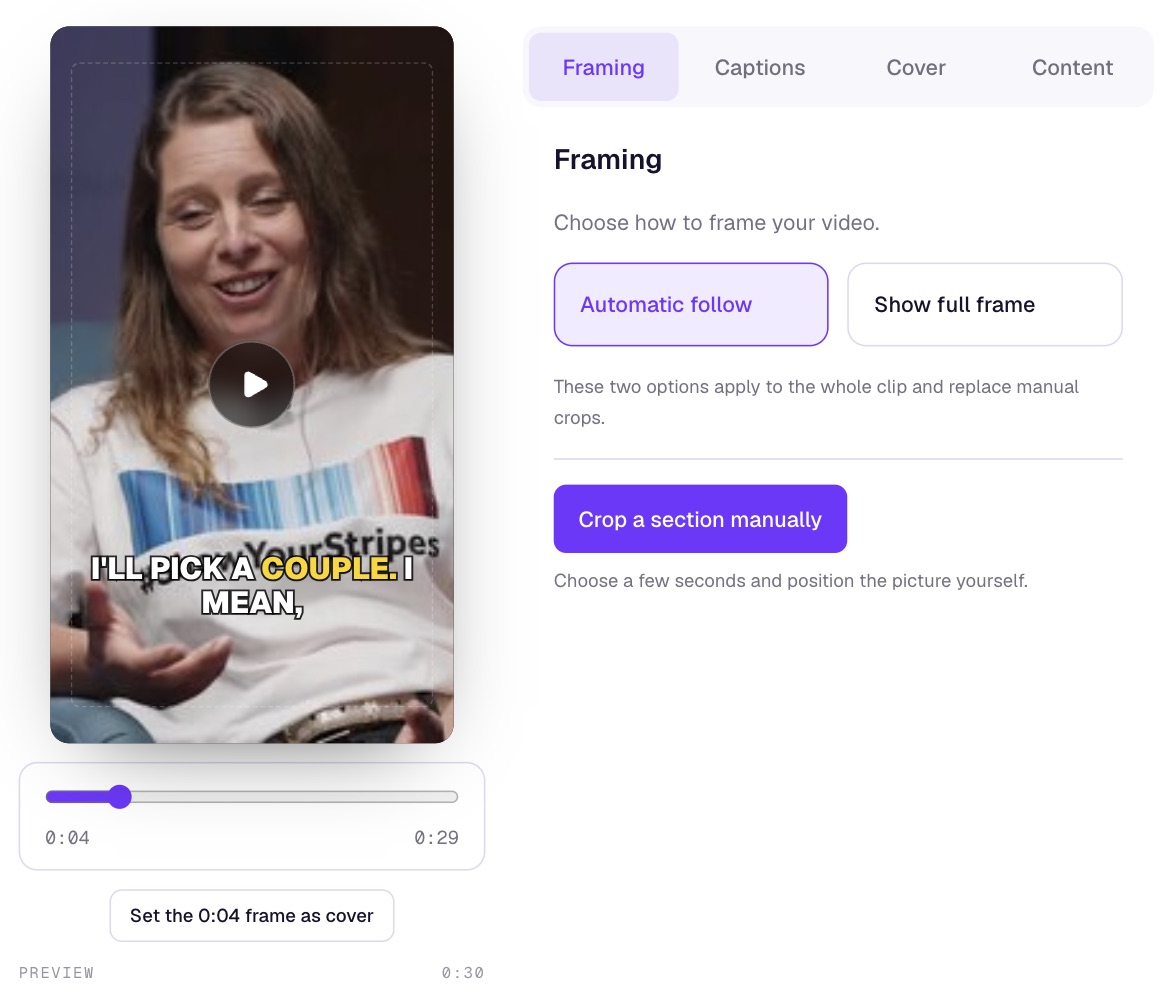
Most clipping footage is horizontal, and every platform wants a vertical 9:16 video. Scribix follows the speaker automatically, but you should still watch the whole clip: check camera changes, two-person shots and anything the speaker points to.
Captions matter because many viewers watch without sound. Read them while listening, and fix names, numbers and brand names; a misspelled brand name is an easy reason for a rejection. Keep captions away from the face and from the area the platform covers with its own buttons. Editing framing and captions requires a paid Scribix plan.
Step 6: Export, post and submit
Export the clip and play the downloaded file from start to finish before posting it. Then post it on the platform the campaign accepts, with the caption, tags or mentions the brief requires.
Submit the link to your post in the campaign on Whop, and keep a record of what you submitted. If a post is rejected, read the reason, compare it with the requirements and fix the cause in your next clips instead of resubmitting the same video.
Step 7: Get paid
Approved submissions earn according to their views, within the campaign's minimum and maximum payout. Your earnings appear in your Whop balance.
To withdraw, set up a payout method in Whop. Whop's payout documentation describes bank payouts through Whop Payments and, depending on your country, other options such as PayPal. You may be asked to complete identity verification, a minimum withdrawal can apply, and Whop supports payouts in over 200 countries, excluding sanctioned regions. Check the payout options shown for your account before counting on a particular method.
Read the campaign page for any fees or review timing before you calculate what a clip will earn.
How much can you earn?
Earnings depend on the reward rate, the views your approved clips receive and each campaign's payout limits. The calculation itself is simple: views ÷ 1,000 × reward rate, capped at the maximum payout per video.
For example, at $1 per 1,000 views, a clip with 50,000 approved views earns $50. At $3 per 1,000 views, the same views earn $150. These are illustrations, not typical results: most new clippers post many clips that never pass a campaign's minimum payout.
Volume matters, but only reviewed, approved clips are paid. Ten clips that follow the brief are worth more than fifty that get rejected.
Common reasons clips get rejected or underperform
Most problems come from skipping the brief or posting clips that do not make sense on their own.
Risks to know before you start
Budgets run out. When a campaign's budget is spent, new views stop earning, even on clips you have already posted.
Review is done by the campaign owner. Two similar clips can receive different decisions, so read rejection reasons and keep the brief open while you edit.
Platforms can limit reach. Posting many near-identical clips from new accounts can be treated as spam by social platforms. Vary your clips and follow each platform's rules.
Only use footage the campaign gives you permission to clip. Do not add music or third-party footage unless the campaign and the platform allow it.
Frequently asked questions
Quick answers to the questions new clippers ask most often.
Is Whop clipping legit?
Content Rewards is an official Whop tool. Campaign owners fund a budget, review submissions and Whop pays approved clips based on views. Earnings are not guaranteed: clips must follow each campaign's requirements and reach its minimum payout.
Do I need followers to start clipping on Whop?
No. Payment is based on the views each approved post receives, not on your follower count. New accounts often start slowly, so expect to post a number of clips before one performs well.
How do I get paid from Whop clipping?
Approved clips add earnings to your Whop balance. You withdraw through the payout methods available in your country, such as a bank account through Whop Payments. Identity verification and a minimum withdrawal may apply.
Can I do Whop clipping from outside the US?
Whop states that it supports payouts in over 200 countries, excluding sanctioned regions. Available payout methods vary by country, so check the options shown in your account.
Can I use AI to make clips for Whop campaigns?
Usually yes, as long as the result follows the campaign's requirements. Some campaigns reject low-effort or obviously AI-generated content, so use AI to find moments and draft clips, then review every clip against the brief before you post it.
Can I clip a YouTube video for a Whop campaign?
Only use footage the campaign allows. Scribix does not download from YouTube; get the original file from the campaign owner, or use footage shared through Google Drive, Dropbox or a direct file link.
Next step: Make and review a podcast clip with Scribix.